
Common mining display sizes cannot be selected from machine tonnage alone. A large haul truck may use a compact vehicle-status display because the operator needs short glances, while a remote station controlling the same truck may require several larger screens for cameras, maps, alarms, and fleet context.
Published mining-equipment configurations show why there is no single industry size. Seven-inch displays appear where the screen presents focused machine information. Ten- and twelve-inch touchscreens are used in mobile cabs and drill-control systems. Larger panels become practical when the HMI must show process graphics, several subsystems, video, or remote-operation information.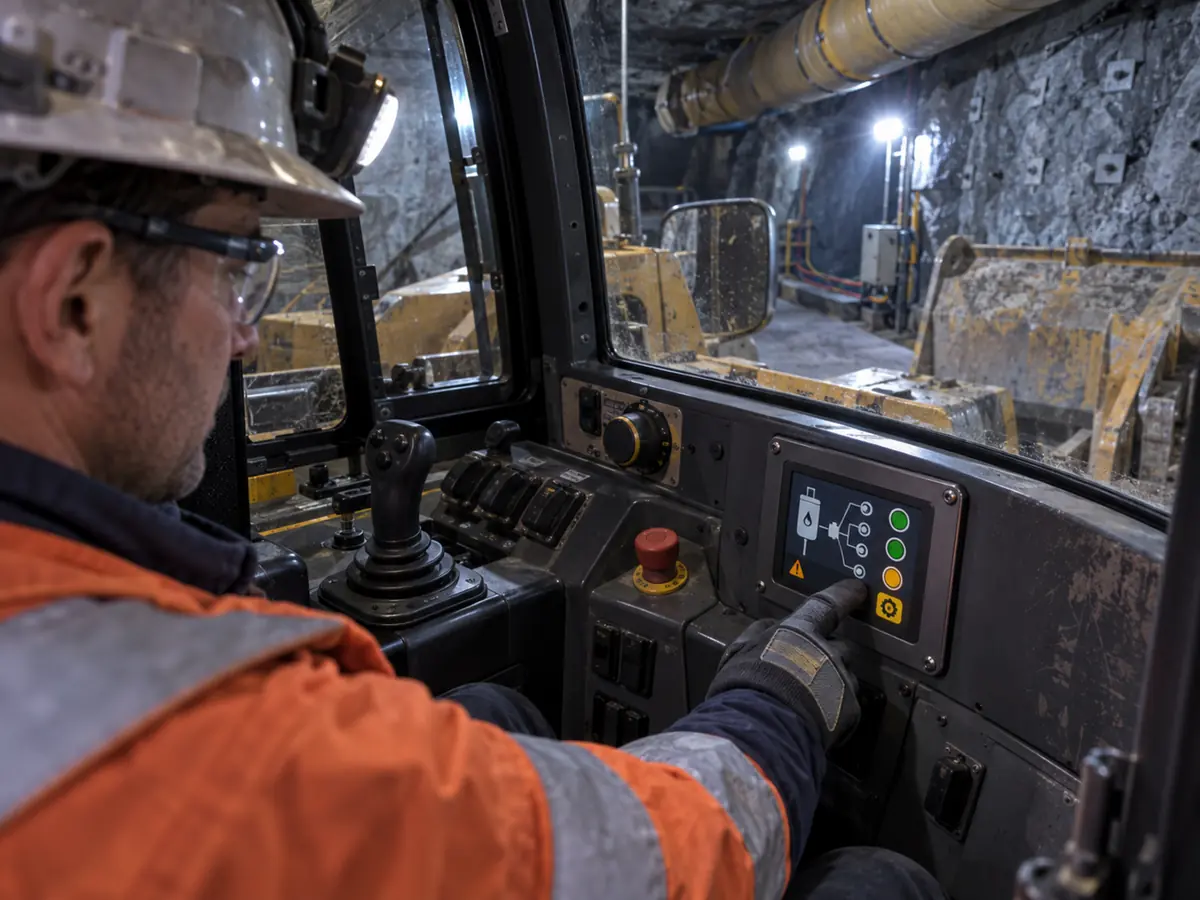
The useful dimension is not the diagonal by itself. Engineers must also consider active area, aspect ratio, native resolution, pixel density, viewing distance, seat position, touch reach, machine movement, windshield visibility, mounting depth, enclosure opening, physical controls, and the number of information sources competing for attention.
Quick Answer: Common mining display sizes include approximately 5 to 7 inches for focused status, service, and auxiliary functions; 7 to 10.4 inches for compact mobile-machine HMIs; 10.1 to 12.1 inches for primary drill, loader, truck, and remote-control interfaces; 12.1 to 15.6 inches for information-rich cabs and machinery consoles; 15 to 24 inches for fixed plant stations; and 21.5 to 32 inches for remote operations, engineering, video, and multi-application workstations. Displays above 32 inches can support shared overview walls. These are application patterns, not mandatory mining standards.
Claim: The correct mining display size is determined by the operator’s visual task, body position, machine state, and information responsibility—not by the diagonal preferred during enclosure styling.
1. Which Screen Roles Create Common Mining Display Size Classes?
A mining site contains many display roles: a dedicated instrument, a vehicle dashboard, a drill-control HMI, a plant operator panel, a camera monitor, an engineering workstation, and a shared production overview. Their information and interaction demands differ even when they operate within the same mine.
Direct answer: Small screens suit one clearly bounded function. Mid-size screens dominate mobile equipment because they balance visibility with limited cab space and reach. Larger displays suit fixed stations where users inspect several data sources or work with detailed graphics. Size should follow the role assigned to the screen.
What Can a 5-Inch to 7-Inch Display Do Well?
A 5-to-7-inch display can support a focused set of values such as machine condition, payload status, lubrication information, hydraulic pressure, service prompts, or one auxiliary subsystem. It can fit narrow dashboards and compact underground cabs where every instrument competes for mounting space.
The interface must remain selective. Large status values, a limited number of alarms, clear page identity, and short navigation work better than a full process diagram. If technicians need dense parameter lists or an on-screen keyboard, the workflow may require a larger service device or a separate maintenance page arrangement.
Why Are 7-Inch to 10.4-Inch Displays Used in Mobile Equipment?
This range can present vehicle gauges, warnings, drivetrain information, basic camera views, and equipment status without dominating the operator’s forward view. It can also remain within the reach envelope around a seat, joystick, steering control, and existing instrument cluster.
A 10.1-inch widescreen can allocate horizontal space to a camera image and an adjacent status column. A 10.4-inch 4:3 panel provides more vertical area for traditional machine pages. The HMI layout and mounting envelope should decide between them; equal or similar diagonals do not provide equal active shapes.
Why Do 10.1-Inch to 12.1-Inch Screens Fit Primary Machine HMIs?
Drill rigs, underground loaders, haulage equipment, and remote machine panels often need a primary view plus alarms, setup, trends, diagnostics, or camera selection. Screens around 10 to 12 inches provide room for that hierarchy while remaining reachable from a seated operating position.
This size class is also large enough for separated touch targets when production gloves are used. The benefit depends on controlling information density: a 12-inch screen can still be unusable if it copies a desktop application with small menus and overlapping dialogs.
When Does a 12.1-Inch to 15.6-Inch Panel Earn Its Space?
A larger cab or machinery console may need drill plans, multiple subsystem states, longer alarm lists, detailed trends, machine setup, or two related views at the same time. A 12.1-to-15.6-inch panel can reduce page switching and support more deliberate parameter work.
The larger outline has consequences. It can obstruct sight lines, consume accessory space, require a stiffer bracket, increase cover-glass area, and place edge controls beyond comfortable reach. The operator station must gain a measurable task benefit from the extra active area.
Where Do 15-Inch to 24-Inch Displays Fit Fixed Mining Equipment?
Crusher buildings, conveyors, screening plants, pump systems, electrical rooms, preparation plants, and maintenance bays can use larger fixed panels because the operator is not constrained by a vehicle dashboard. These screens can show process flow, permissives, interlocks, trends, alarms, and several equipment groups.
Viewing distance still controls the physical size of text and symbols. A 21.5-inch Full HD panel mounted several steps away may need a simpler overview than the same panel used at arm’s length with a keyboard and mouse.
What Changes at a Remote Operations Workstation?
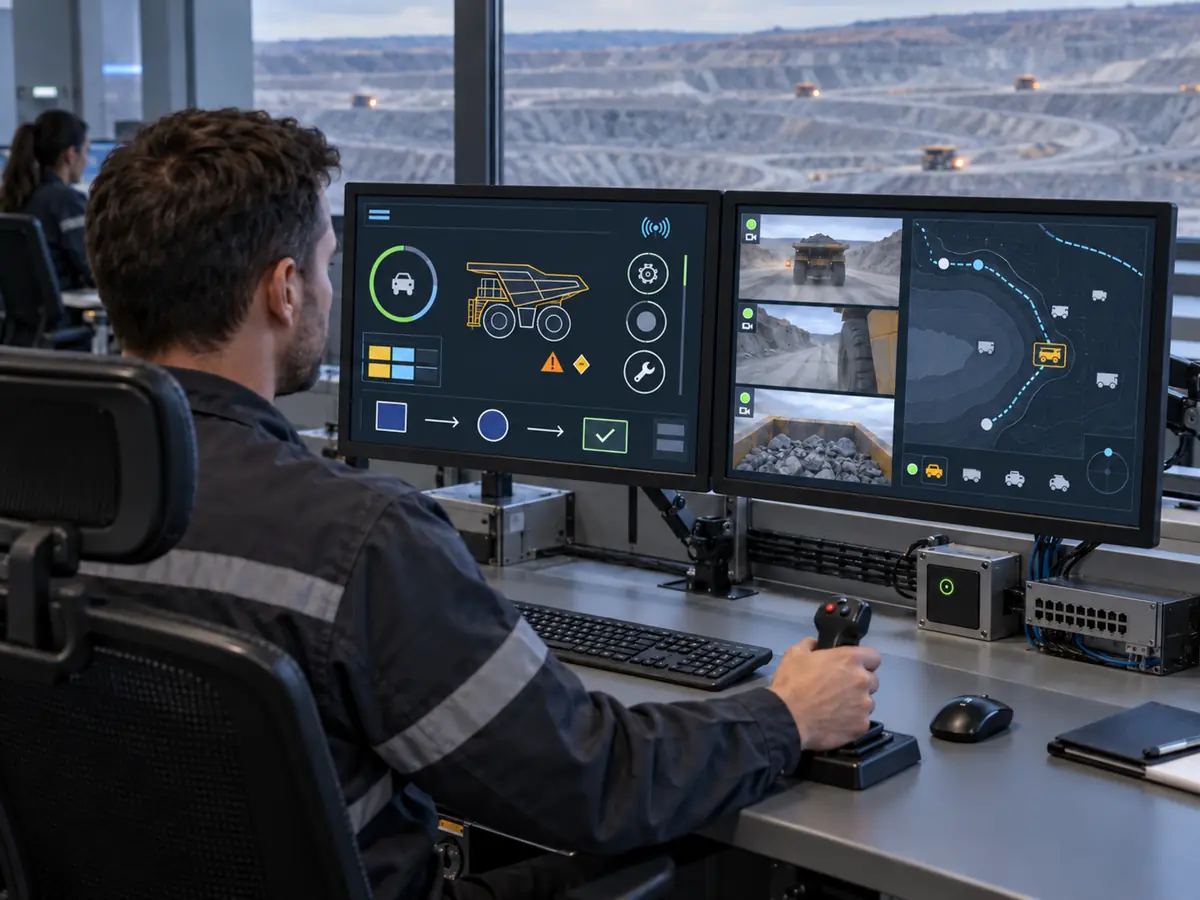
Remote operators may need machine controls, several live camera feeds, route or drill information, communication status, alarms, and fleet context. Individual displays from approximately 21.5 to 32 inches can support these divided work areas, but screen count and placement are as important as diagonal size.
| Screen Role | Common Starting Range | Typical Content | Size-Limiting Factor |
|---|---|---|---|
| Dedicated status or auxiliary function | 5–7 inches | Values, condition, short alarms, service prompts | Instrument space and task simplicity |
| Compact mobile-machine HMI | 7–10.4 inches | Gauges, warnings, basic camera and machine status | Forward view, reach, physical controls |
| Primary drill, loader, or truck HMI | 10.1–12.1 inches | Operating page, alarms, setup, camera selection | Glance time, movement, glove targets |
| Information-rich machinery console | 12.1–15.6 inches | Plans, trends, diagnostics, several subsystems | Sight line, bracket, reach envelope |
| Fixed plant operator station | 15–24 inches | Process graphics, interlocks, alarms, trends | Viewing distance and panel opening |
| Remote or engineering workstation | 21.5–32 inches | Video, maps, fleet state, detailed applications | Screen count, desk geometry, visual priority |
Claim: Common size ranges become useful only after the screen has a defined role, content boundary, operating distance, and interaction method.
2. How Does a Moving Mining Machine Change the Usable Screen Size?
A cab display is viewed and touched by a person whose body moves relative to the panel. Seat suspension, chassis vibration, travel over uneven ground, vehicle articulation, protective clothing, and the need to watch the work area can change what “readable” and “reachable” mean.
Direct answer: Movement generally requires larger visual objects, greater separation between touch targets, stable screen locations, shorter interaction sequences, and less dense information. Increasing the diagonal helps only when the added area remains within the operator’s sight and reach envelope.
Why Is Glance Time More Important Than Screen Area?
The operator may have only a short interval to confirm speed, machine mode, payload, drill state, or an alarm before returning attention to the travel path or work tool. The primary page should therefore communicate the current condition through a few high-priority objects.
A larger display can reduce search time if it creates a stable hierarchy. It can increase search time if the additional space is filled with equal-weight data. Size and HMI hierarchy must be evaluated together.
How Should Seat Position and Reach Be Measured?
Evaluate the smallest and largest intended users with the seat, armrest, steering device, joysticks, restraint, and clothing in their operating positions. Check neutral reach, occasional extended reach, shoulder movement, wrist angle, and whether the operator must lean away from the seat back.
A large touchscreen mounted too far away can make corner targets difficult. Moving it closer may interfere with entry, egress, visibility, or physical controls. The usable active area is therefore the portion that can be seen and reached without creating another operator-station problem.
How Do Gloves and Machine Movement Combine?
A thick glove enlarges and obscures the contact point. Machine movement adds positional error between the hand and target. Together they increase the chance of selecting an adjacent item, turning a tap into a drag, or missing a small control near the bezel.
Touchscreen behavior and physical-control allocation are addressed in How Do Touchscreens Improve Mining Equipment Operation?. Size approval should use the production glove and credible machine motion rather than a bare-finger desk test.
Can a Larger Screen Obstruct the Operator’s View?
Yes. The display, bracket, cable, and protective housing can block part of a windshield, side window, mirror, camera-monitor sight line, or view of the machine tool. The effect changes with seat position and machine geometry.
The equipment manufacturer should review visibility, cab access, emergency egress, structural attachment, and applicable machine requirements. A display supplier should not assume that available dashboard surface is automatically an approved mounting area.
Does Sunlight Require a Larger Diagonal?
Not necessarily. Sunlight problems arise from reflected light, insufficient luminance, low contrast, cover-glass reflections, viewing angle, fingerprints, dust, and unsuitable HMI colors. A larger version of the same low-contrast image may remain difficult to read.
Claim: In a moving mining machine, usable screen size is the visible and reachable area that supports short, accurate interactions without obstructing the operator’s primary task.
3. When Is One Large Display the Wrong Operator-Station Design?
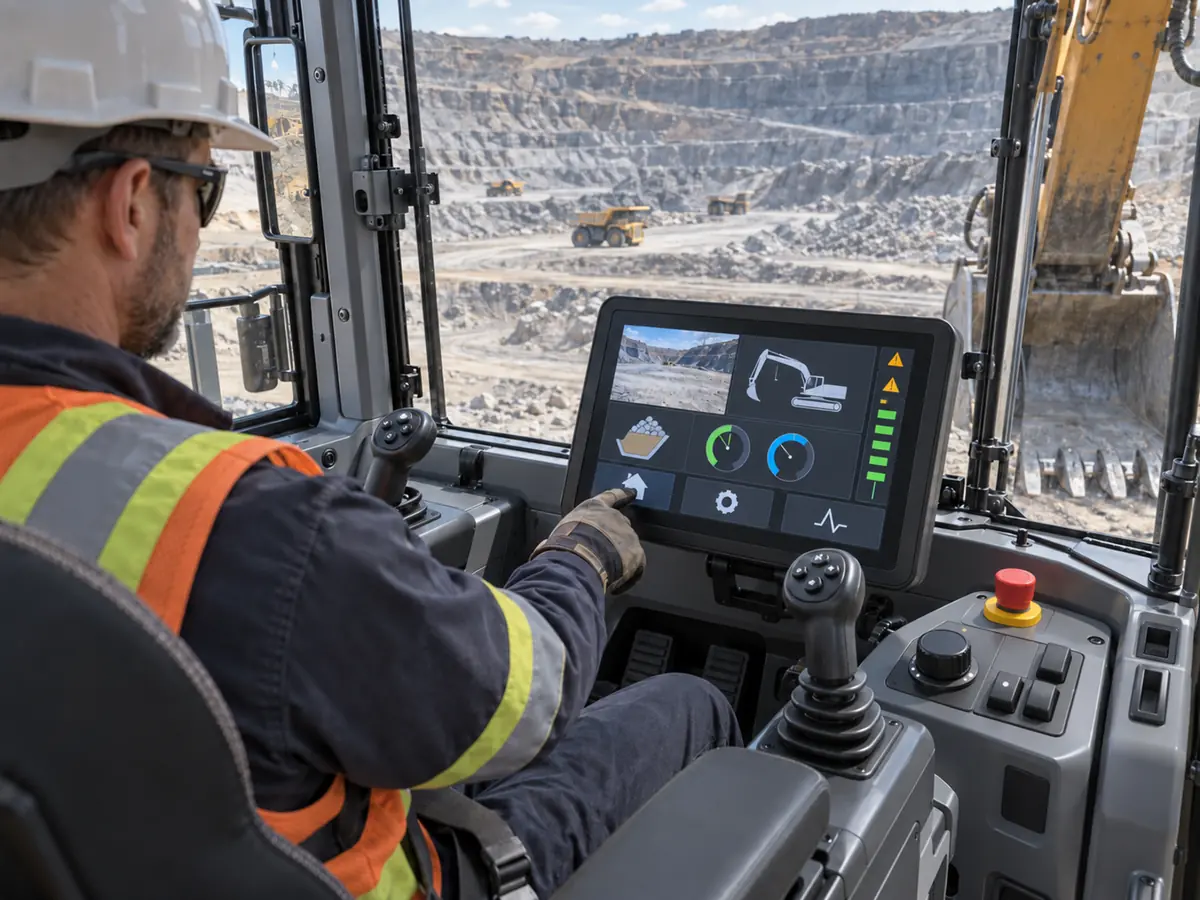
Combining every source on one large screen can look efficient in a drawing. During operation, it may force camera images, machine controls, navigation, alarms, and maintenance information to compete for the same pixels. A page change can remove information that should remain continuously visible.
Direct answer: Multiple displays may be better when information has different persistence, ownership, failure consequences, aspect ratios, or viewing directions. One screen may remain dedicated to machine state while another carries cameras, maps, fleet context, or service tools. The architecture should follow information continuity rather than an arbitrary screen count.
When Should a Camera View Have Dedicated Space?
A rear, tool, loading-area, or surrounding-object camera may need to remain visible while the operator uses another HMI page. If opening a setup dialog hides the image at the wrong time, the problem is not solved by a larger diagonal alone.
A dedicated display or reserved region can preserve the view, but the system must still show camera identity, image availability, and delay where relevant. The operator must know whether an image is live rather than merely seeing a populated rectangle.
How Can Multiple Screens Separate Information Ownership?
The machine-control display may be owned by the equipment controller and approved software configuration. A second screen may belong to fleet dispatch, guidance, payload management, customer-installed cameras, or a service computer. Keeping these roles separate can make changes and fault diagnosis easier.
Does More Than One Display Provide Redundancy?
Not automatically. Two screens may depend on the same computer, power rail, network, software process, or controller board. A failure in the shared element can remove both images at once.
If continued information availability is required, engineers must define which functions survive each failure and provide independent paths where justified by the machine risk assessment. Screen count should not be used as evidence of redundancy without an architecture review.
How Does Aspect Ratio Affect Screen Allocation?
Widescreen panels can suit horizontal camera images, route maps, long trends, and side-by-side content. A 4:3 or 5:4 panel can provide useful vertical room for machine schematics, alarm lists, and older HMI pages within a narrower opening.
Replacing a square-format screen with a widescreen model of a similar diagonal can reduce physical height and alter target positions. The new display may be wider yet present legacy content at a smaller scale unless the HMI is redesigned.
Why Are Remote Operations Different from an Onboard Cab?
A remote operator can monitor several machines and multiple cameras without vehicle vibration, but the information volume and consequence of source confusion increase. Monitor position, screen count, active-machine identity, camera arrangement, alarm priority, desk depth, and control assignment must be developed as one workstation.
The mining display signal chain behind these stations is explained in What Display Interfaces Are Used in Mining Equipment?. A large monitor does not correct uncertain network status, stale video, incorrect source selection, or weak machine identification.
Claim: One screen, several screens, and shared overview displays are different information architectures; their value depends on what must remain visible and what must survive a fault.
4. How Should Engineers Prove the Size Before Releasing the Enclosure?
A CAD model can confirm that a rectangular part fits, but it cannot show whether a driver can read a changing alarm while moving or whether a technician can reach the upper corner with winter gloves. Size needs task evidence before the opening, bracket, glass, and HMI layout become expensive to change.
Direct answer: Build a full-scale mockup with the intended active area, aspect ratio, native resolution, HMI pages, mounting position, physical controls, seat geometry, gloves, and viewing conditions. Run representative operating, alarm, camera, setup, and service tasks with intended users, then transfer the results into controlled mechanical and display requirements.
What Content Should Be Loaded into the Mockup?
Use the real overview, machine state, alarm, camera, trend, setup, numeric-entry, diagnostic, and maintenance pages. Include the longest equipment tags, units, translations, warning text, confirmation dialogs, and any on-screen keyboard.
Placeholder graphics often understate the final information density. Testing only a clean home page can approve a size that fails when alarms, permissions, navigation, and service content are added.
Which Tasks Should Users Perform at Full Scale?
Ask users to identify machine mode, find an abnormal value, distinguish alarm priority, select the correct camera, enter an allowed setting, reject an invalid value, navigate home, and complete a permitted service step. Record errors, repeated touches, unnecessary page changes, leaning, blocked views, and time spent searching.
Repeat the relevant tasks while seated, standing, wearing the intended gloves, and experiencing credible machine movement. A successful task is stronger evidence than a general opinion that the screen looks large enough.
Which Dimensions Matter Beyond the Diagonal?
Control active width and height, panel outline, thickness, bezel opening, mounting points, connector location, cable direction, touch tail, controller position, cover-glass outline, printed border, gasket land, adhesive area, fastener clearance, and service removal path.
A nominally identical diagonal can come with another aspect ratio or outline. Replacement feasibility depends on the complete drawing, not the marketing size printed beside the model number.
How Should Resolution and Physical Size Be Paired?
Native resolution determines available pixels, but physical size determines how large those pixels and rendered objects appear. Higher resolution can sharpen graphics or provide more workspace, yet it can also make fixed-pixel software controls physically smaller.
Test the production operating-system scaling, graphics driver, HMI layout, camera resolution, fonts, and touch mapping. Avoid approving the display from a screenshot viewed on a different monitor.
What Must Be Tested in the Production-Intent Assembly?
After the size is selected, test the LCD, touch sensor, cover glass, bonding, bracket, gasket, enclosure, controller, cables, power, grounding, software, and physical controls together. Observe image and touch through startup, machine movement, electrical loads, dimming, communication interruption, and recovery.
The system-level need for this evidence is described in Why Does Mining Equipment Need Industrial LCD Displays?. A panel datasheet does not approve the completed operator station.
How Should Replacement Risk Affect the First Size Decision?
Mining machines may remain in service far longer than one LCD revision. A discontinued panel can force changes to the opening, bracket, cover glass, controller, cable, resolution, scaling, and touch alignment. Choosing a heavily constrained outline without a replacement strategy increases future redesign risk.
Review supplier status, expected production period, demand forecast, change notification, safety stock, alternative panels, last-time-buy planning, and the tests needed after a change. The approved configuration should identify more than “12-inch industrial display.”
Claim: Display size is ready for release only when representative users can complete defined tasks on a full-scale, production-intent operator station.
5. What Advantages Does XIANHENG Offer for Mining Display Size Projects?
XIANHENG supports display projects for haul trucks, underground loaders, drill rigs, crushing and conveying systems, mineral-processing equipment, remote operator stations, maintenance terminals, and obsolete-display replacements.
Direct answer: XIANHENG can help customers compare industrial TFT LCD sizes across active area, aspect ratio, resolution, brightness, viewing direction, temperature range, interface, mechanics, and lifecycle. Support can include PCAP or resistive touch, customized cover glass, bonding, controller boards, firmware, cables, drawings, samples, inspection, and replacement analysis. Final HMI content, operator-station ergonomics, machine controls, safety functions, enclosure, compliance, and equipment approval remain with the responsible manufacturer and approval parties.
How Can XIANHENG Translate a Screen Role into Candidate Sizes?
Customers can provide the machine type, intended screen role, screenshots, viewing distance, user position, gloves, input method, available opening, depth, physical controls, desired resolution, brightness, interface, and service-life target. Candidate panels can then be compared by usable active area rather than diagonal alone.
Can XIANHENG Compare Different Aspect Ratios?
XIANHENG can compare traditional 4:3 or 5:4 panels with widescreen alternatives across active width and height, resolution, outline, mounting, connector position, interface, and availability. This is particularly useful when a legacy HMI must move to a currently supported panel format.
Can Touch and Cover Glass Follow the Selected Size?
Supported PCAP or resistive touch can be coordinated with the LCD, glove requirement, target layout, controller, firmware, USB or I²C path, enclosure, and grounding. Customized cover glass can define the outer shape, printed border, viewing window, thickness, holes, slots, coating, edge treatment, and adhesive region.
The drawing can align the LCD active area, touch area, enclosure opening, gasket, indicators, and physical controls. Bonding options can be reviewed according to visibility, parallax, mechanical stack, production, and repair needs.
Can XIANHENG Support Controllers and Cables?
When the host requires HDMI, DisplayPort, DVI, or VGA, a supported controller configuration can be reviewed for the selected LCD resolution and timing. Native LVDS, eDP, MIPI DSI, or RGB connections require an exact host-to-panel comparison.
Customized video, touch, backlight, and power cables can be defined by connector, pinout, length, shielding, ground, direction, bend limit, retention, and route. A cable does not convert incompatible electrical interfaces without an active controller or bridge.
How Can Samples Support Full-Scale Size Approval?
Prototype scope can include the LCD, touch sensor, cover glass, bonding, controller, firmware, cable set, and initial image and coordinate inspection. The customer can place the sample in a representative bracket or operator-station mockup and run the defined user tasks.
XIANHENG can review supported display-side findings before production release. The customer remains responsible for testing the complete machine with its users, software, controls, power, enclosure, mounting, communication, and approval plan.
How Can XIANHENG Support an Existing Size Replacement?
Customers can provide the original LCD, touch, controller and cable models; active-area and outline drawings; mounting photographs; host interface; software resolution; cover-glass drawing; current symptoms; annual demand; and a working sample where available.
XIANHENG can compare candidate solutions across visible area, fit, interface, timing, brightness, touch, controller behavior, and lifecycle. Starting options are available in the Industrial LCD Product Collection.
What Information Should Customers Send to Start?
Useful inputs include the equipment type, screen role, operator tasks, viewing distance, user positions, available opening and depth, preferred diagonal, active-area limits, resolution, aspect ratio, host interface, touch method, glove type, cover-glass requirement, brightness, temperature, vibration, annual quantity, project schedule, and replacement horizon.
To discuss a mining equipment display, haul-truck touchscreen, drill-rig HMI, underground-loader panel, crusher monitor, remote-operation screen, customized display assembly, or obsolete-size replacement, please reach out to XIANHENG.
Claim: XIANHENG supports mining display-size projects by matching the LCD, touch, glass, controller, cables, mechanics, samples, and supply plan to the customer’s defined screen role.


