
Semiconductor manufacturing equipment is normally designed for a much longer operating life than the individual electronic components installed inside it. A deposition system, wafer inspection tool, cleaning machine, die bonder, or automated test platform may remain productive long after its original LCD panel has disappeared from the supplier’s standard product list.
This difference in lifecycle creates a serious engineering problem. The display may not control the process chamber, motion stage, vacuum system, or inspection sensor directly, but it provides the interface through which operators select recipes, monitor production, acknowledge alarms, review inspection data, and perform maintenance. If the screen fails and no compatible replacement is available, an otherwise functional machine can become difficult or impossible to operate.
From my experience with industrial LCD replacement projects, display obsolescence is rarely solved by finding another panel with the same diagonal size. Two LCDs described as 15-inch XGA or 21.5-inch Full HD can have different outline dimensions, mounting points, active areas, connector positions, pin definitions, power requirements, backlight systems, viewing directions, and startup timing.
Long-term availability therefore means more than keeping a particular panel model in stock. It requires lifecycle planning, product-change monitoring, controlled documentation, qualified alternatives, and a replacement strategy that begins before the original display reaches end of life.
Quick Answer: Long-term LCD availability is critical because semiconductor manufacturing equipment often remains in service longer than standard commercial display models. If an LCD becomes obsolete, replacing it can require mechanical redesign, cable changes, controller modification, touchscreen retuning, software adjustment, and renewed reliability testing. Selecting industrial panels, monitoring lifecycle notices, maintaining spare units, and qualifying alternatives in advance reduces downtime, engineering cost, and service risk.
The display should be treated as a lifecycle-managed subsystem rather than a commodity purchased at the end of the equipment design. Early planning allows the manufacturer to control future changes instead of reacting to an urgent failure after the original panel is no longer available.
Claim: In semiconductor equipment, display obsolescence can affect the availability of the complete machine. Long-term support depends on managing the LCD, touch panel, controller, cables, mechanical structure, software, and replacement documentation together.
1. Why Do Semiconductor Machines Need Displays for Many Years?
Semiconductor equipment represents a substantial capital investment. Once a machine has been installed, qualified, and connected to the production system, replacing it is not a simple purchasing decision. The process recipes, material handling, factory communication, maintenance procedures, operator training, and output quality may all depend on the established platform.
Why Does the Equipment Lifecycle Exceed the LCD Lifecycle?
Commercial display markets change quickly. Panel manufacturers continually adjust production capacity toward newer sizes, resolutions, interfaces, and glass-generation efficiencies. A panel that is widely available when a machine is designed may become difficult to source several years later.
Semiconductor equipment follows a different cycle. A qualified machine can continue producing value as long as it meets process, reliability, and maintenance requirements. Established production lines may have little reason to replace a stable tool simply because newer equipment exists.
This lifecycle mismatch is particularly noticeable when an equipment platform uses a consumer-oriented LCD. Consumer panels may offer attractive pricing and performance at launch, but their mechanical format or controller design can change with limited consideration for long-term industrial replacement.
Why Can a Display Failure Stop an Otherwise Functional Machine?
The LCD is the operator’s access point to the machine. It may display process recipes, chamber conditions, wafer or lot identification, stage position, inspection images, production counts, alarms, maintenance steps, and subsystem diagnostics.
If the display becomes unreadable or the touchscreen fails, the equipment controller may still be running, but the operator may no longer be able to confirm the machine state or execute permitted actions. For safety and process-control reasons, bypassing the HMI is often unacceptable.
This is why semiconductor machines require industrial displays rather than panels selected only for initial cost. The relationship between the display and overall equipment operation is explained further in Why Do Semiconductor Machines Require Industrial LCDs?.
Why Is an Installed Display More Than an LCD Panel?
A finished semiconductor HMI may include an LCD panel, LED backlight, touchscreen, touch controller, cover glass, optical adhesive, display controller, customized cable, metal frame, gasket, power board, and mounting hardware.
The equipment software is also part of the display system. It may depend on a specific resolution, aspect ratio, color format, touch coordinate system, USB identification, or startup sequence. Changing one component can affect several other parts of the assembly.
For example, replacing an LVDS panel with an eDP model may require a new controller board and cable. A different touchscreen controller may require a driver or operating-system change. A slightly different active area may require new cover-glass printing even when the diagonal size remains unchanged.
Why Is Display Continuity Important Across a Machine Fleet?
Equipment manufacturers and fabs may operate multiple machines based on the same platform. Using a consistent display assembly simplifies operator training, service documentation, spare-parts storage, remote support, and fault diagnosis.
If replacement screens vary between machines, technicians must determine which panel, controller, cable, touch firmware, and software settings belong to each revision. The result is a more complicated spare-parts system and a greater possibility of installing an incompatible component.
A controlled display platform allows the manufacturer to introduce changes through documented revisions rather than creating an uncontrolled mixture of substitute panels.
Claim: Semiconductor machines need long-term display support because their productive life often exceeds the market life of an individual LCD. A failed or unavailable HMI can interrupt equipment operation even when the process hardware remains functional.
2. What Happens When an LCD Panel Becomes Obsolete?
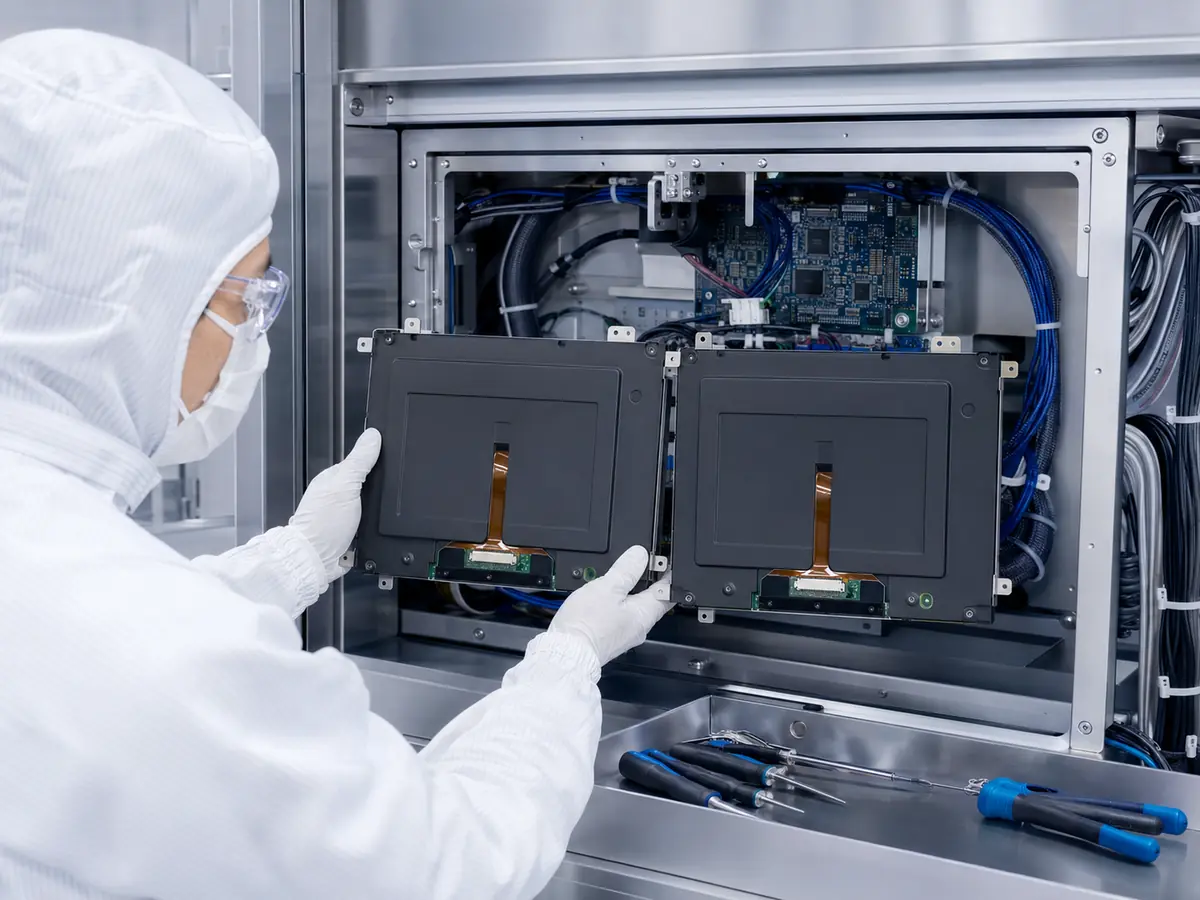
An end-of-life notice does not necessarily mean the machine will stop immediately. It means the manufacturer must decide whether to make a last-time purchase, qualify a replacement, redesign the display assembly, or combine several of these actions.
Can a Same-Size LCD Be Used as a Direct Replacement?
Sometimes it can, but size and resolution are not enough to establish compatibility. Engineers must compare the complete specifications and drawings.
| Comparison Area | Items That Must Be Checked | Possible Consequence |
|---|---|---|
| Mechanical | Outline, thickness, mounting holes, active area, connector position | New bracket, bezel, glass, or enclosure machining |
| Electrical | Interface, pin definition, voltage, current, backlight power | New cable, power board, or display controller |
| Timing | Pixel clock, blanking, refresh rate, startup and shutdown sequence | No image, unstable image, delayed startup, or recovery failure |
| Optical | Brightness, contrast, viewing angle, color, grayscale, surface treatment | Reduced readability or inconsistent image review |
| Touch | Controller, interface, firmware, glass thickness, coordinate mapping | False touches, dead zones, incorrect coordinates, or driver changes |
| Software | Resolution, scaling, orientation, EDID, operating-system support | Distorted interface, hidden controls, or unsupported hardware |
A replacement should only be described as drop-in compatible after these areas have been compared and tested. “Similar specification” and “direct replacement” are not the same engineering statement.
What Mechanical Changes Can Be Required?
Even panels with the same diagonal size can have different outer dimensions and mounting structures. The new LCD may be thinner, but that does not guarantee easier installation. A different frame shape can prevent the original clamps or mounting brackets from applying pressure correctly.
The active area may also move relative to the panel outline. If the original display uses printed cover glass, the viewing window may no longer align with the visible image. Connector position and cable exit direction can interfere with the enclosure or nearby circuit boards.
For an optically bonded assembly, the replacement may require new bonding tooling, touch-panel dimensions, glass printing, and adhesive validation. A panel change that looks minor on paper can therefore become a complete front-assembly redesign.
What Electrical and Interface Changes Can Occur?
Older industrial displays frequently use LVDS, while many newer models use eDP. A change between these interfaces requires more than a different connector because the signal architecture and control method are different.
Even when both panels use LVDS, the connector, pin assignment, lane configuration, bit mapping, voltage, and timing may differ. Backlight power can also change. Some panels include an LED driver, while others require an external constant-current driver.
A controller board may solve the video-interface problem, but it creates additional validation work. Engineers must verify image timing, startup behavior, backlight control, standby recovery, power sequencing, and electromagnetic compatibility.
How Can Obsolescence Affect Touch and Software?
A replacement LCD may require a new touchscreen because the active area or outer dimensions changed. If the touch controller also changes, the equipment computer may identify it as a different USB device or require a new driver.
Projected capacitive touch firmware is normally tuned around the cover glass, sensor, display noise, grounding, and enclosure. Moving an old touch sensor to a new LCD does not guarantee the same behavior.
Software problems are especially common when the replacement uses a different resolution or aspect ratio. Fixed-position buttons can move outside the visible area, text can become too small, and camera or inspection images can be scaled incorrectly.
These issues are particularly important in wafer inspection interfaces, where operators must review maps, defect images, classifications, and equipment conditions. See How Do LCD Displays Improve Wafer Inspection Systems? for a detailed explanation of this workflow.
What Are the Risks of Buying Obsolete Panels from Uncontrolled Sources?
After a panel has been discontinued, remaining inventory may still appear through brokers or secondary channels. This can be useful for urgent service, but the buyer must verify the source, production date, storage condition, grade, label, and operating history.
Unused appearance does not confirm unused condition. A panel may have been removed from equipment, stored under unsuitable temperature or humidity, or relabeled. Backlight condition and image uniformity may also vary between production batches.
Secondary sourcing can provide temporary support, but it should not replace a planned qualification strategy for an equipment platform that must remain serviceable.
Claim: LCD obsolescence can trigger changes to the enclosure, glass, touch panel, cables, power circuit, controller, software, and validation process. A nominally similar panel should never be assumed to be a direct replacement without detailed comparison.
3. How Can Manufacturers Reduce Display Obsolescence Risk?
The most effective approach is to manage obsolescence throughout the equipment lifecycle. International guidance such as IEC 62402:2019 treats obsolescence management as a planned process covering policy, design strategy, monitoring, resolution, and continuous improvement.
Why Should Industrial LCDs Be Selected at the Design Stage?
Industrial LCD models are generally designed around stable mechanical formats, controlled specifications, longer availability, and formal product-change processes. This does not mean every industrial panel will remain available indefinitely, but it gives the equipment manufacturer more time and information to respond.
The selected model should be evaluated according to manufacturer, product family, lifecycle position, application history, and possible successor models. A panel that is already mature or approaching discontinuation may not be suitable for a new equipment platform even when its technical specification is ideal.
Why Are PCN and EOL Notices Important?
A product change notice, or PCN, informs customers about a modification that may affect the component. An end-of-life notice, or EOL notice, provides information about discontinuation, last-order dates, and final shipment schedules.
These notices give the manufacturer time to determine whether the change is acceptable, whether additional testing is required, and how many spare units should be purchased. Without a reliable communication channel, the equipment manufacturer may learn about discontinuation only when a purchase order can no longer be fulfilled.
The approved bill of materials should record the complete LCD model and revision. Informal descriptions such as “15-inch industrial screen” are not sufficient for change control.
Should Manufacturers Make a Last-Time Purchase?
A last-time purchase can protect installed machines while a replacement is being qualified. The required quantity should be based on the installed fleet, expected failure rate, remaining service period, production demand, and time needed for redesign.
Buying too few panels can leave machines unsupported. Buying too many ties up cash and creates a long-term storage responsibility. LCDs should be stored within the manufacturer’s recommended temperature and humidity conditions, protected from pressure, contamination, static electricity, and unsuitable stacking.
A lifetime buy is therefore a risk-control tool, not a complete obsolescence strategy. The manufacturer should still prepare a qualified alternative.
How Does Modular Design Reduce Replacement Risk?
A modular display architecture separates functions so that one technology change does not force every component to be redesigned. For example, a standard video controller can isolate the equipment computer from changes in the LCD’s native interface.
Customized adapter cables, removable mounting brackets, and controlled cover-glass dimensions can also make future substitutions easier. In some projects, separating the monitor from the computer allows each subsystem to be replaced independently.
Modularity has limits. Additional connectors and controller boards can increase cost, installation depth, heat, and potential failure points. The design should provide useful flexibility without adding unnecessary complexity.
Why Should an Alternative Panel Be Identified Early?
Waiting until the last spare screen has failed creates unnecessary pressure. At the initial design stage, engineers should investigate whether another industrial panel can fit the same active area, resolution, and interface requirements.
The alternative does not need to be fully qualified immediately, but its mechanical and electrical differences should be understood. Drawings, datasheets, cables, controller firmware, touch parameters, and test results should be retained so that a future qualification does not begin from zero.
What Documentation Should Be Maintained?
A useful display lifecycle file should include the approved LCD model, datasheet revision, mechanical drawing, incoming-inspection criteria, cable drawing, connector pinout, controller-board version, firmware, backlight settings, touch-controller parameters, cover-glass drawing, bonding specification, software resolution, and validation report.
Photographs of labels, connector positions, cable routing, and installed structures are also valuable for after-sales service. Good documentation reduces dependence on the memory of individual engineers.
The different technologies that may need to be managed are covered in What Display Technologies Are Used in Semiconductor Equipment?.
Claim: Display obsolescence risk is reduced through industrial panel selection, PCN and EOL monitoring, controlled documentation, strategic spare inventory, modular design, and early identification of replacement options.
4. How Should Replacement Displays Be Qualified?
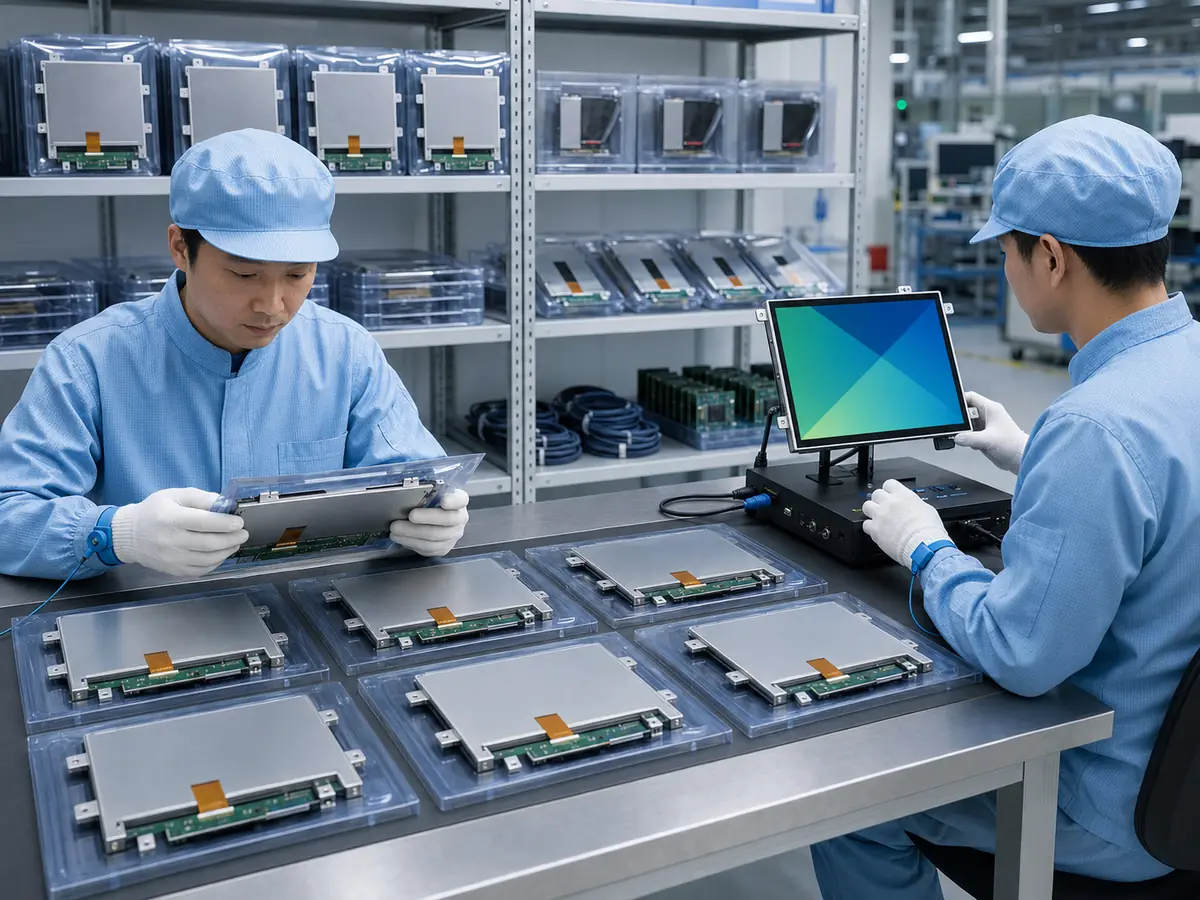
A replacement panel should be qualified according to the role of the complete HMI. A basic maintenance display may require a different level of optical evaluation from a wafer inspection screen, but both require reliable mechanical, electrical, and software operation.
What Should Be Compared Before Ordering Samples?
The first step is a documented specification comparison. Engineers should compare diagonal size, active area, outline dimensions, thickness, mounting method, resolution, aspect ratio, pixel arrangement, interface, connector, pin definition, voltage, power, brightness, contrast, viewing angle, operating temperature, storage temperature, backlight life, and surface treatment.
Any difference should treatment.
be classified according to whether it requires no change, a cable or controller change, a mechanical modification, a software modification, or further testing.This review prevents time being spent on a sample that cannot fit the enclosure or communicate with the equipment host.
How Should Mechanical Compatibility Be Tested?
The sample should be installed using the intended brackets, bezel, gasket, and cover glass. Engineers should confirm that the active area aligns with the viewing window and that the frame does not experience excessive pressure.
Mounting force can create display mura, bright spots, or light leakage even when the panel is not visibly damaged. Connector access, cable bend radius, ventilation space, and service removal should also be checked.
If the assembly is optically bonded, the bonding process and tooling should be validated with the actual replacement panel rather than assumed from the original model.
Which Electrical Functions Should Be Verified?
The display should be tested with the actual equipment computer, controller board, cable, and power supply. Validation should cover startup, shutdown, power cycling, sleep recovery, signal loss, resolution detection, brightness control, maximum backlight load, and operation after an unexpected interruption.
Current consumption and temperature should be measured in the final enclosure. A panel with similar nominal power can create a different thermal pattern because of its backlight, timing controller, or internal LED driver.
How Should Image and Software Performance Be Checked?
Every major HMI page should be reviewed at the native resolution. The test should include menus, recipe pages, alarms, charts, wafer maps, inspection images, camera windows, maintenance screens, multilingual text, and user-access dialogs.
Engineers should confirm that text remains readable, controls are fully visible, lines and icons are sharp, and image proportions are correct. If color or grayscale carries operational meaning, the replacement should be compared with the approved original display under representative lighting.
How Should the Replacement Touchscreen Be Tested?
Touch validation should include the intended gloves, cover glass, enclosure grounding, cable routing, and electrical environment. Test points should cover the center, edges, corners, dragging, long presses, repeated inputs, and any gestures used by the software.
Electromagnetic noise should be generated by operating the equipment’s major motors, power supplies, illumination systems, and motion subsystems. A touchscreen that works while the machine is idle may behave differently during a complete production cycle.
Which Reliability Tests Are Necessary?
The required test plan depends on the equipment and customer qualification process. It may include continuous operation, thermal cycling, high- and low-temperature operation, ESD, EMC, vibration, repeated power cycling, brightness stability, touch endurance, and cleaning-material compatibility.
A pilot installation on a limited number of machines can reveal field conditions that are difficult to reproduce in the laboratory. Performance should be monitored before the replacement is released across the entire installed fleet.
When Is a Replacement Fully Approved?
Approval should occur only after the technical tests, documentation updates, production controls, service instructions, and spare-part identification have been completed. The replacement assembly should receive a controlled part number or revision so that it cannot be confused with the original configuration.
Any required changes to cables, brackets, controller firmware, touch drivers, or software settings should be supplied as a defined conversion kit. This makes field replacement repeatable and reduces technician error.
Claim: A replacement LCD becomes acceptable only after the complete HMI has passed mechanical, electrical, optical, software, touch, environmental, and equipment-level validation. Datasheet similarity alone is not sufficient.
5. What Advantages Does XIANHENG Offer for Long-Term Semiconductor Display Projects?
XIANHENG has worked with industrial LCD panels and customized display assemblies for more than ten years. We understand that semiconductor equipment manufacturers need more than a current quotation. They need a display solution that can be documented, tested, produced consistently, and supported when the original model changes.
How Does XIANHENG Select Industrial LCD Panels?
We can support industrial TFT LCDs from manufacturers such as BOE, AUO, Innolux, and Tianma. Selection can be based on size, resolution, viewing technology, brightness, operating temperature, interface, mechanical dimensions, lifecycle position, and expected production period.
Customers can review available models through the Industrial LCD Product Collection.
How Can XIANHENG Support Customized Display Assemblies?
Depending on the project, XIANHENG can provide the LCD panel, projected capacitive or resistive touchscreen, custom cover glass, optical bonding, display controller, customized cables, mounting components, and integrated touch-display assembly.
Managing these items as a defined assembly makes future replacement more controllable. If a panel change becomes necessary, our engineers can evaluate which parts can remain and which parts require modification.
How Does XIANHENG Evaluate Replacement Panels?
For replacement projects, customers can provide the original LCD model, datasheet, mechanical drawings, interface information, cable photographs, touch requirements, software resolution, and available enclosure dimensions.
We can then compare possible alternatives according to mechanical fit, active area, resolution, interface, power, connector position, backlight, viewing direction, optical performance, temperature range, and controller compatibility.
If a direct replacement is unavailable, we can help define the required cable, controller, bracket, cover-glass, or touch changes instead of describing a partially compatible panel as a drop-in solution.
How Can XIANHENG Support Lifecycle Planning?
For new projects, lifecycle planning can begin during sample selection. Alternative models and critical specifications can be identified before volume production. For established projects, XIANHENG can support last-time purchase discussions, replacement evaluation, sample preparation, and transition planning.
Approved specifications, cables, touch parameters, controller versions, and mechanical information can be maintained to improve consistency between sample, production, and future service orders.
How Can Customers Start a Long-Term Display Project?
To receive a suitable recommendation, customers should provide the required size, resolution, interface, brightness, touch method, operating temperature, annual demand, target production period, equipment function, and mechanical drawings.
For an obsolete-display replacement, the original panel label and datasheet are especially important. To discuss industrial LCD availability, lifecycle planning, spare panels, or a replacement display assembly, please reach out to XIANHENG.
Claim: XIANHENG supports long-term semiconductor display projects through industrial LCD sourcing, customized touch assemblies, replacement evaluation, documented integration, sample validation, and lifecycle planning.


