
AI equipment uses displays for local monitoring, system configuration, camera-image review, alarm management, maintenance, and operator interaction. The required screen can range from a compact status panel on a server rack to a large engineering monitor used for machine vision or centralized equipment supervision.
Quick answer: Common display sizes for AI equipment include 5 to 7 inches for basic status panels, 8 to 12.1 inches for compact touch interfaces, 15 to 15.6 inches for machine controls and detailed dashboards, and 18.5 to 27 inches for engineering workstations, monitoring stations, and image-based AI applications.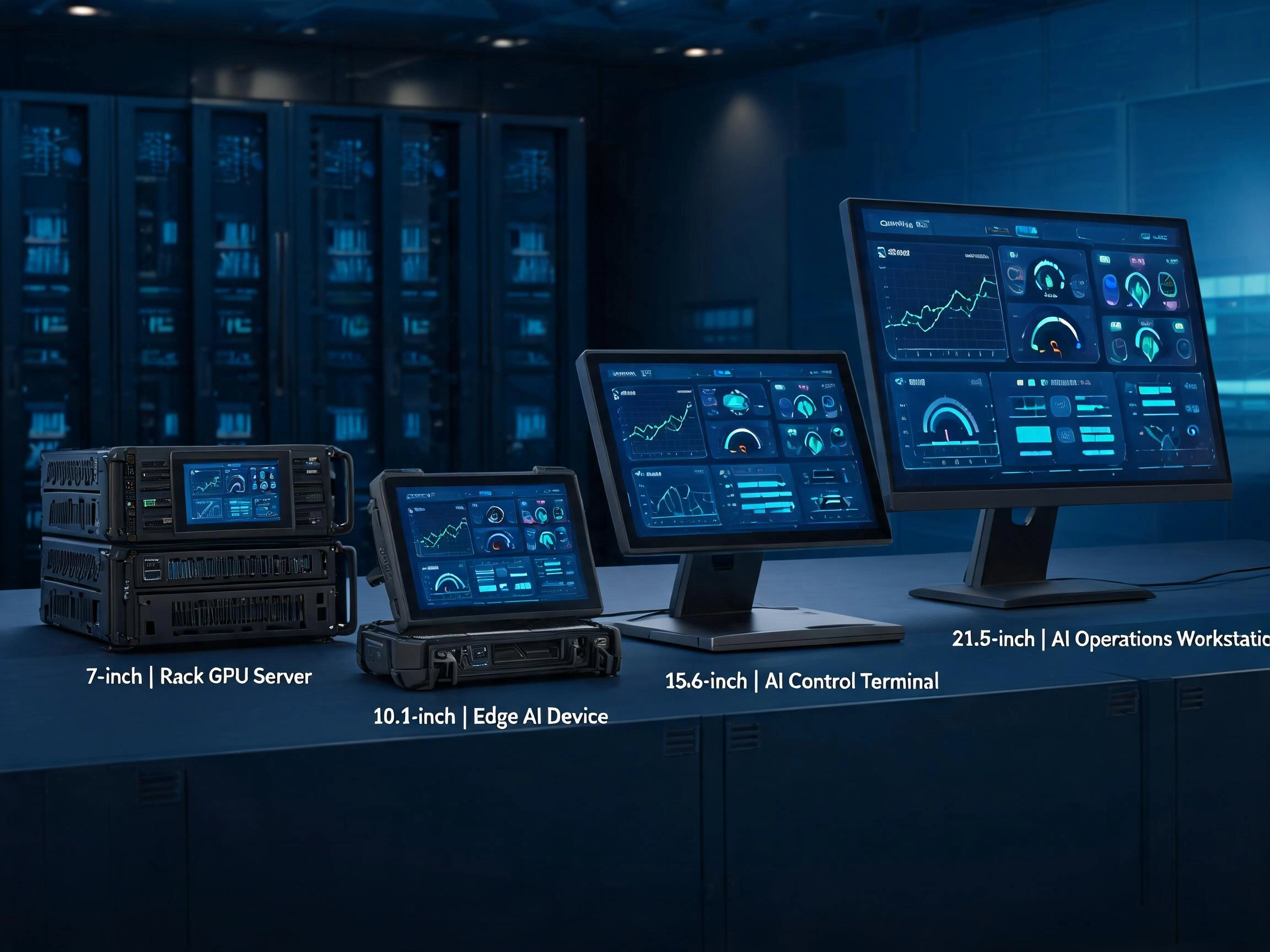
These ranges are not fixed industry standards. Two AI devices that perform similar computing tasks may use different display sizes because their enclosures, viewing distances, interface layouts, touch requirements, and maintenance procedures are different.
A larger LCD can display more information, but it also requires more installation space, power, mechanical support, and thermal planning. A smaller LCD may fit the equipment more easily, but it can create crowded menus, small text, and touch controls that are difficult to operate.
After more than ten years of working with industrial LCD projects, we have found that screen-size selection should begin with the operator’s task. Engineers should determine what must be shown, how far the operator stands from the equipment, whether touch input is required, and how often the display will be used before selecting a diagonal size.
Claim: The correct display size for AI equipment is determined by information density, viewing distance, interaction method, mechanical space, and service requirements rather than by AI computing performance alone.
1. Why Does Display Size Matter in AI Equipment?
Display size affects much more than the appearance of AI equipment. It influences readability, user-interface structure, touch accuracy, cabinet dimensions, cable routing, power consumption, and long-term serviceability.
Direct answer: Screen size determines how much information an operator can view comfortably and how easily the display can be integrated into the equipment.
How Does Display Size Affect Information Density?
AI management interfaces may show processor utilization, GPU temperatures, camera images, sensor data, network status, alarm records, maintenance procedures, and system configuration controls.
A small screen can display this information, but the software may need to divide it across several pages. A larger screen can show more information at the same time and reduce the number of menu levels.
However, a larger display does not automatically create a clearer interface. If every available value is placed on one dashboard, the screen can still become difficult to read. Information hierarchy remains necessary regardless of screen size.
The first page should normally show overall system condition and active alarms. Detailed component information can be opened when the operator selects a specific area.
How Does Viewing Distance Affect Screen Size?
A display mounted on a handheld service device may be viewed from a short distance. A screen installed on a control cabinet may be viewed from one or two steps away. A shared monitoring display may need to be readable from across a room.
As viewing distance increases, the interface normally requires:
- Larger text
- Larger status indicators
- Fewer items on each page
- Stronger visual separation
- Larger touch targets
- A larger physical display area
Engineers should evaluate the display at its real mounting height and viewing angle. Reviewing an interface on a desktop computer does not reproduce the viewing conditions of a low server rack, high control cabinet, or outdoor terminal.
How Does Display Size Affect Touch Operation?
Touchscreen interfaces require enough physical area for buttons, menus, input fields, confirmation dialogs, and on-screen keyboards. Controls that appear acceptable with a mouse may be difficult to select accurately with a finger or industrial glove.
A compact touchscreen may be suitable for simple functions such as:
- Viewing overall equipment status
- Acknowledging alarms
- Selecting operating modes
- Starting predefined tests
- Entering a limited number of settings
More complex functions may require a larger display, particularly when the interface includes graphs, equipment diagrams, camera images, or several adjustable parameters.
Touchscreen management requirements are discussed further in How Do Touchscreens Improve AI Equipment Management? .
How Does Screen Size Affect the Equipment Enclosure?
The specified diagonal size does not provide enough information for mechanical design. Engineers must also check the LCD outline, active area, bezel opening, thickness, connector position, mounting points, and cable direction.
Two LCD panels with the same diagonal size and resolution may have different external dimensions. One model may have a narrow border, while another may require more space around the active area.
The display size can affect:
- Front-panel dimensions
- Cabinet cutout
- Internal mounting brackets
- Touchscreen cover-glass dimensions
- Controller-board placement
- Ventilation and airflow
- Cable bending space
- Service access
This is why screen size should be selected before the enclosure design is finalized. Changing the LCD after tooling may require a new front panel, cover glass, cable, mounting frame, and software layout.
A broader comparison of available display architectures can be found in Which Industrial LCD Solutions Support AI Infrastructure? .
Claim: Display size affects the entire AI equipment design, including the interface, enclosure, touchscreen, cables, thermal structure, and maintenance procedure.
2. What Display Sizes Are Common in Different AI Applications?
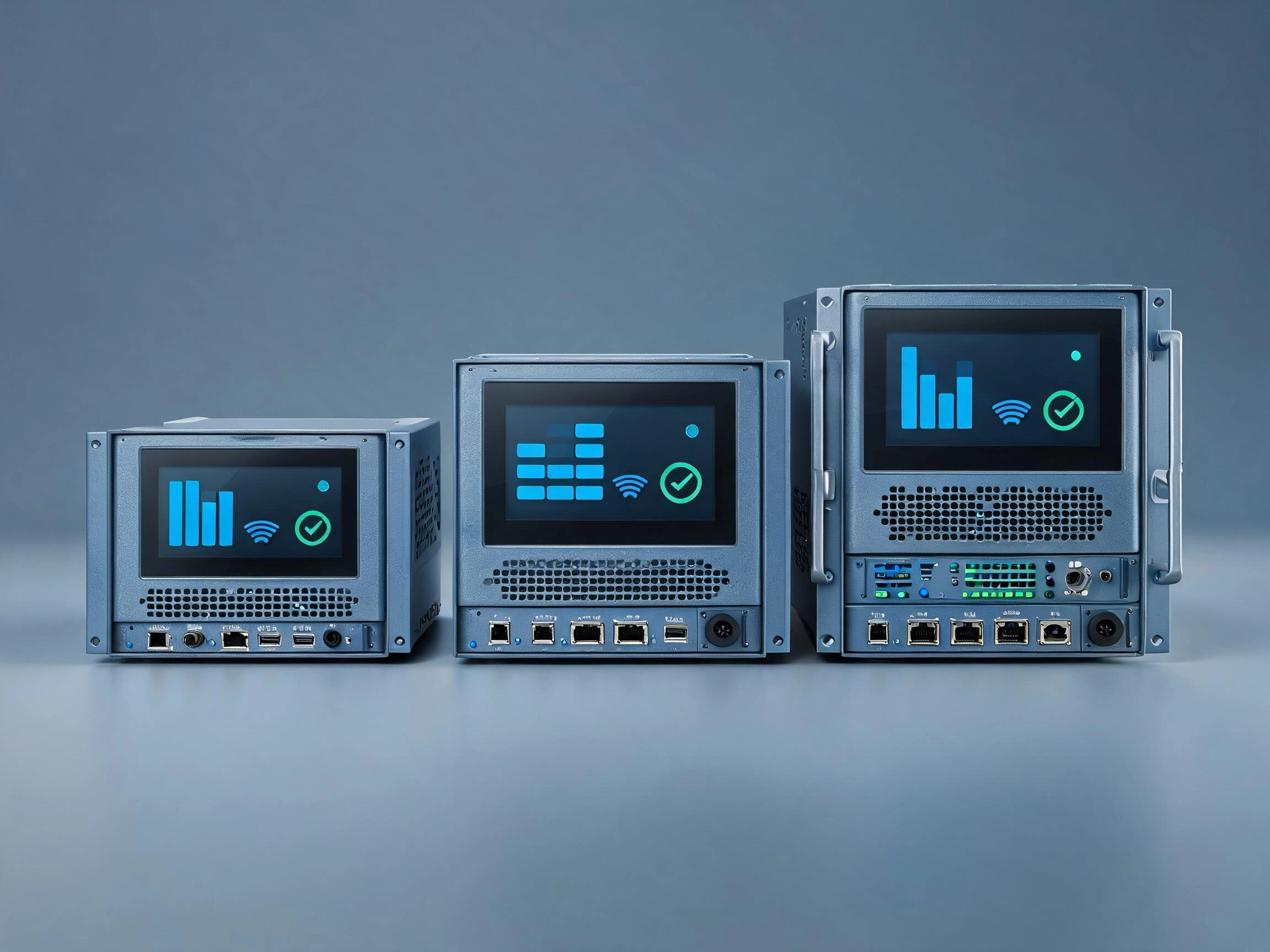
AI equipment does not use one standard display size. Common selections depend on whether the screen provides basic status information, full touchscreen control, camera-image review, or engineering-level monitoring.
Direct answer: Compact AI devices often use 5 to 12.1-inch displays, industrial control interfaces commonly use 10.1 to 15.6-inch displays, and engineering or image-monitoring stations often use 18.5 to 27-inch displays.
When Are 5-Inch to 7-Inch Displays Used?
Displays between approximately 5 and 7 inches are commonly used when installation space is limited and the interface only needs to show essential status or control information.
Typical applications include:
- AI server status panels
- Compact network appliances
- Embedded diagnostic devices
- Small edge AI terminals
- Portable maintenance tools
- Equipment identification panels
These sizes can display temperatures, utilization values, alarm indicators, network addresses, and basic service menus. They are less suitable for detailed camera images, large graphs, complex settings, or frequent text entry.
Resolution must be selected carefully. A high pixel count on a small screen does not improve usability if the software renders text and controls too small.
For touch operation, the interface should use a limited number of large controls. Deep menu structures and on-screen keyboards can become uncomfortable on a compact screen.
When Are 8-Inch to 10.4-Inch Displays Used?
Displays from approximately 8 to 10.4 inches provide more room for dashboards, maintenance menus, equipment diagrams, and touchscreen controls while remaining compact enough for embedded systems.
Common applications include:
- Machine vision controllers
- Industrial edge AI terminals
- Robot service interfaces
- AI-enabled medical devices
- Smart transportation equipment
- Compact control cabinets
Traditional industrial equipment often uses 8.4-inch or 10.4-inch panels with 4:3 aspect ratios. These sizes remain useful when replacing older HMIs or when the software layout was designed around a squarer display area.
Widescreen formats may be more suitable for modern dashboards, camera previews, and side-by-side status panels. Engineers should select the aspect ratio together with the diagonal size.
When Are 10.1-Inch and 12.1-Inch Displays Used?
10.1-inch and 12.1-inch displays are common in industrial equipment because they provide enough space for practical touchscreen interaction without requiring a large enclosure.
They are frequently considered for:
- Edge AI gateways
- Machine vision systems
- Autonomous equipment
- AI-assisted production machines
- Environmental monitoring systems
- Data center service terminals
- Medical AI equipment
A 10.1-inch widescreen display is suitable for dashboards, camera images, menus, and basic charts. A 12.1-inch display provides more room for technicians wearing gloves or viewing the screen from farther away.
Both sizes are available in multiple resolutions, brightness levels, interface types, and temperature ranges. The diagonal size alone does not indicate whether a panel is suitable for industrial AI equipment.
Edge AI display requirements are explained in What Display Solutions Are Best for Edge AI Devices? .
When Are 15-Inch and 15.6-Inch Displays Used?
15-inch and 15.6-inch displays are suitable for equipment that presents more detailed system information or requires frequent operator interaction.
Typical applications include:
- Machine vision inspection stations
- AI production-line control panels
- Robot programming and maintenance stations
- Medical analysis equipment
- Data center service consoles
- AI system diagnostic terminals
The 15-inch 4:3 format is still widely used in industrial control systems because it provides useful vertical space for menus, tables, and process diagrams.
The 15.6-inch widescreen format is common when the interface includes video, camera images, horizontal graphs, or side-by-side information panels.
These displays can support more detailed interfaces, but engineers still need to check software scaling. Full HD resolution on a 15.6-inch panel may require larger operating-system scaling to keep text and touch controls readable.
When Are 17-Inch to 19-Inch Displays Used?
Displays from approximately 17 to 19 inches are commonly used in fixed workstations, rack consoles, equipment-room panels, and engineering terminals.
They provide enough space for multiple status areas, detailed tables, alarm histories, and larger system diagrams. These sizes are also suitable when the operator works in front of the screen for longer periods.
Possible applications include:
- Rack-mounted AI management consoles
- Data center diagnostic stations
- Machine vision review terminals
- AI system engineering workstations
- Cooling and power-management panels
- Industrial monitoring systems
A 17-inch or 19-inch 5:4 display can be useful for traditional industrial software layouts. An 18.5-inch widescreen display may be better for modern dashboards and video-based applications.
When Are 21.5-Inch to 27-Inch Displays Used?
Displays between 21.5 and 27 inches are commonly selected for engineering stations, image-review systems, centralized monitoring, and AI applications that display several data sources simultaneously.
Typical use cases include:
- Large machine vision inspection stations
- AI model monitoring workstations
- Data center operations terminals
- Multi-camera analysis systems
- Security and traffic monitoring
- Medical image review
- AI system development and debugging
Full HD resolution is common at 21.5 and 23.8 inches. Higher resolutions may be considered for 27-inch displays when the application requires more workspace or detailed images.
Large displays require more installation space and structural support. If touch input is added, the operator must also be able to reach the full screen comfortably. A large touchscreen mounted too high or too far away can cause fatigue.
When Are Displays Larger Than 27 Inches Used?
Displays larger than 27 inches are less common as embedded components but may be used for shared monitoring, control rooms, video walls, production dashboards, and operations centers.
These displays are normally viewed by several people or from a longer distance. They may show fleet status, facility-level alarms, workload distribution, energy consumption, or multiple camera feeds.
Large shared displays serve a different purpose from local equipment screens. They support supervision rather than direct maintenance of one device.
| Display Size Range | Typical AI Application | Main Use |
|---|---|---|
| 5 to 7 inches | Server panels and compact embedded devices | Basic status, alarms, and simple menus |
| 8 to 10.4 inches | Compact HMIs and edge AI terminals | Touch control, diagnostics, and equipment status |
| 10.1 to 12.1 inches | Machine vision, edge AI, and autonomous equipment | Dashboards, camera preview, and maintenance |
| 15 to 15.6 inches | Industrial AI control panels | Detailed interaction, graphs, and image review |
| 17 to 19 inches | Rack consoles and engineering terminals | Multi-panel monitoring and diagnostics |
| 21.5 to 27 inches | Monitoring and image-analysis workstations | Detailed images, several data sources, and long-duration use |
| Above 27 inches | Control rooms and shared monitoring systems | Facility-level information and multi-user viewing |
Claim: Common display-size ranges provide a useful starting point, but the final selection must still be based on the equipment layout, software interface, operator distance, and environmental requirements.
3. How Should Engineers Match Screen Size to User Interaction?
The same display size can work well in one AI system and poorly in another. The difference often comes from the amount of information displayed and the way the operator interacts with it.
Direct answer: Engineers should match the display size to the most frequent operator task, the amount of information required at one time, and the physical input method.
What Information Must Remain Visible at the Same Time?
Some interfaces only need to show a system status and one active alarm. Others need to show a camera image, detection result, temperature graph, equipment diagram, and control menu at the same time.
Before selecting the screen size, engineers should list the information that must remain visible during normal operation and fault diagnosis.
Useful questions include:
- Does the operator need to compare two camera images?
- Must the alarm remain visible while settings are adjusted?
- Are several GPU or sensor modules monitored together?
- Does the interface display long tables or log files?
- Is an on-screen keyboard required?
- Must the operator read the screen while standing?
- Will gloves be used?
If the interface constantly requires scrolling or switching between pages, the display may be too small or the software hierarchy may need revision.
How Should Touch Targets Affect Size Selection?
Touch controls require physical spacing. The number of pixels is not enough to judge whether a button is easy to press because the same pixel dimension appears physically smaller on a high-density display.
Buttons used with industrial gloves should normally be larger and more widely spaced than controls used with a bare finger. Frequently used commands should be positioned where the operator can reach them comfortably.
Commands with different consequences should not be placed too close together. For example, “Restart Application,” “Restart System,” and “Power Off Equipment” should not use adjacent small buttons.
How Does Aspect Ratio Affect the Interface?
Two displays can have the same diagonal size but different usable shapes. A 4:3 or 5:4 panel provides more vertical space, while a 16:9 or 16:10 panel provides more horizontal space.
A squarer display can be suitable for:
- Long menus
- Tables
- Process diagrams
- Traditional industrial HMI software
- Vertical equipment layouts
A widescreen display can be suitable for:
- Camera images
- Video feeds
- Horizontal trend graphs
- Side-by-side status panels
- Modern dashboard layouts
Software should be designed for the intended aspect ratio. Stretching an interface from 4:3 to 16:9 can distort graphics or leave large unused areas.
How Should Resolution and Scaling Be Tested?
A high-resolution LCD can show more detail, but the operating system and application must support suitable scaling. Text, icons, and controls should be evaluated on the real panel rather than judged from the specification sheet.
Testing should include:
- Normal operating distance
- Actual font sizes
- Touch-target dimensions
- Alarm visibility
- Camera-image quality
- Graph readability
- On-screen keyboard operation
- Glove use where required
If the interface must be scaled heavily to remain readable, the additional resolution may not provide much practical benefit.
Claim: Screen size and interface design must be developed together. Selecting the LCD first and fitting the software into the remaining space often produces crowded screens and unreliable touch operation.
4. Which Integration Factors Can Change the Final Display Size?
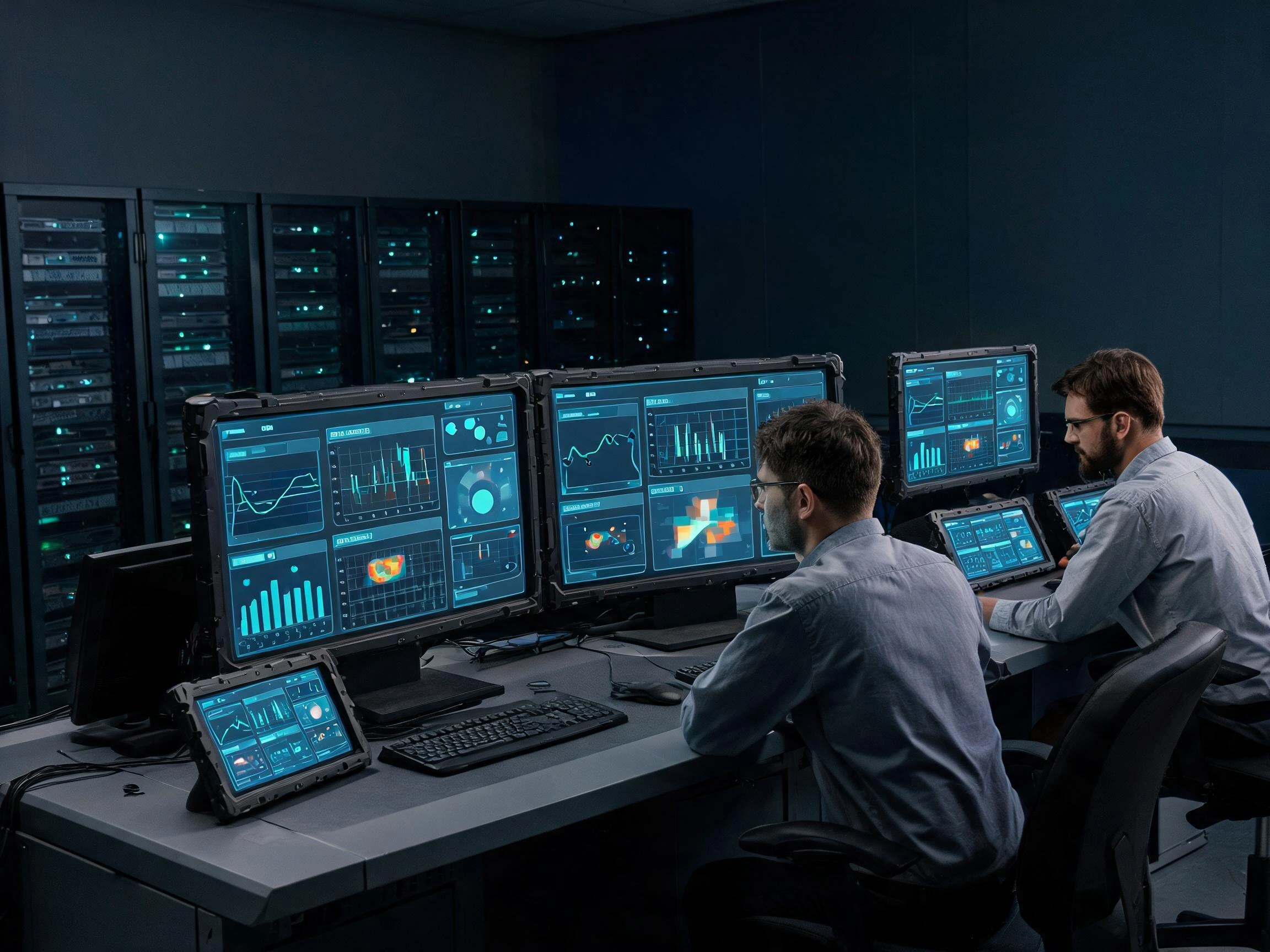
A screen that appears suitable from an interface mockup may not fit the final equipment once the LCD outline, touchscreen, controller, cables, mounting frame, and thermal structure are included.
Direct answer: The final display size can be limited by active area, module outline, cover glass, mounting space, interface availability, power, heat, lifecycle, and service access.
Why Must Engineers Check Active Area and Outline Dimensions?
Display size is measured diagonally across the active image area. It does not describe the complete module dimensions.
Engineers must compare:
- Active area
- Panel outline
- Bezel width
- Module thickness
- Mounting-hole position
- Connector position
- Cable exit direction
- Required clearance
A narrow-border panel may fit an enclosure that cannot accept another LCD of the same diagonal size. Product design should therefore use the manufacturer’s mechanical drawing rather than only the nominal screen size.
How Does the Touchscreen Change the Required Space?
A projected capacitive touchscreen normally includes a sensor and cover glass extending beyond the LCD active area. The cover glass may need additional space for printed borders, adhesive, mounting holes, logos, indicator windows, and front-panel sealing.
The touch controller and flexible cable also need space behind the front panel. Cable folding and bending limits must be respected.
Optical bonding or air bonding can change the assembly thickness and tolerance. The complete stack should be defined before the enclosure cutout is approved.
How Do Interfaces Affect Available Size Options?
Not every display size is available with every interface. Compact panels may use MIPI DSI, RGB, LVDS, or eDP, while larger displays may commonly use LVDS, eDP, HDMI, or DisplayPort through a controller board.
The host platform may limit the available LCD selection. Engineers should confirm:
- Host video output
- Supported resolution
- Signal voltage
- Connector and pin assignment
- Available display drivers
- Touch input interface
- Cable length
- Power capacity
If the preferred LCD does not match the host output, a display controller or interface-conversion board may be required. This adds space, power consumption, heat, cables, and another component to the lifecycle plan.
How Do Power and Thermal Limits Affect Size?
Larger displays generally require more backlight power than smaller displays with similar brightness and technology. High-brightness versions require additional power and may produce more heat.
In compact edge AI equipment, the display shares the thermal space with processors, GPU modules, storage, communication hardware, and power converters. A larger or brighter LCD may require changes to airflow, enclosure depth, power-supply capacity, or backlight control.
Engineers should measure temperature at the actual LCD and controller positions while the AI equipment operates under its highest expected load.
Why Does Long-Term Availability Affect Size Selection?
AI equipment may remain in production and field service for many years. A display size with many industrial-grade panel options can provide more flexibility than a specialized size with only one short-lifecycle source.
When a panel is discontinued, a replacement with the same diagonal size may still have different:
- Outline dimensions
- Mounting holes
- Active-area position
- Connector location
- Pin assignment
- Display timing
- Backlight requirements
- Viewing direction
Panel lifecycle and replacement planning are examined further in Why Is Reliability Important for AI Server Displays? .
What Should Be Checked Before the Size Is Approved?
| Review Area | Required Check | Possible Problem |
|---|---|---|
| User interface | Test real text, controls, images, and graphs | Crowded layout or unreadable content |
| Viewing conditions | Check distance, angle, lighting, and mounting height | Poor visibility during normal operation |
| Touch operation | Test fingers, gloves, edge controls, and keyboard input | Missed input or accidental commands |
| Mechanical fit | Review outline, active area, thickness, and cable direction | LCD cannot fit the enclosure |
| Interface | Confirm video, touch, power, timing, and driver support | No image or incompatible communication |
| Thermal design | Measure temperature under maximum AI workload | Reduced life or unstable operation |
| Lifecycle | Review production period and alternative models | Future redesign after panel discontinuation |
Claim: Display size should not be approved until the interface, touchscreen, enclosure, power supply, thermal conditions, and lifecycle have been reviewed as one system.
5. What Advantages Does XIANHENG Offer for AI Equipment Display Projects?
XIANHENG provides industrial LCD and touchscreen solutions for AI servers, edge AI equipment, machine vision systems, control cabinets, service terminals, and intelligent embedded hardware.
Direct answer: XIANHENG can help customers compare display sizes, aspect ratios, resolutions, interfaces, brightness levels, touch options, mechanical dimensions, and lifecycle requirements before the enclosure is finalized.
How Does XIANHENG Help Select the Display Size?
Our engineers begin by reviewing the application rather than recommending the largest available screen.
Useful project information includes:
- Equipment type and application
- Required display information
- Normal viewing distance
- Available installation area
- Required resolution
- Host-board display interface
- Touchscreen requirements
- Operating and storage temperatures
- Ambient-light conditions
- Expected project lifecycle
- Estimated production quantity
Based on these requirements, XIANHENG can compare suitable industrial TFT LCD sizes from manufacturers such as BOE, AUO, Innolux, and Tianma.
What Industrial LCD Options Can XIANHENG Provide?
Available industrial display options can include:
- Compact embedded TFT LCD modules
- High-brightness LCD panels
- Wide-temperature displays
- Wide-viewing-angle IPS panels
- High-contrast VA displays
- Full HD and 4K panels
- LVDS, eDP, MIPI, RGB, and HDMI solutions
- Long-lifecycle industrial models
When the customer is replacing an existing LCD, we can also compare active area, outline dimensions, mounting holes, interface, pin assignment, brightness, viewing direction, and backlight requirements.
How Can XIANHENG Customize the Touchscreen Assembly?
XIANHENG can support projected capacitive and resistive touchscreen solutions. Depending on the project, customization can include:
- Touch sensor dimensions
- Cover-glass outline
- Printed borders and logos
- Mounting holes
- Transparent windows
- Touch-controller selection
- USB or I²C communication
- Glove-operation adjustment
- Optical or air bonding
- Anti-glare or anti-reflection treatment
The touchscreen can be developed around the selected LCD and enclosure, reducing the need to redesign the complete equipment around a standard touch panel.
How Does XIANHENG Support OEM and ODM Development?
A customized AI equipment display assembly may include:
- Industrial TFT LCD
- PCAP or resistive touchscreen
- Customized cover glass
- Optical bonding
- Touch-controller board
- Display and touch cables
- HDMI, LVDS, or eDP controller solution
- Mechanical drawings
- Sample integration support
Early engineering review helps identify problems with size, interface, cable direction, cover-glass dimensions, controller placement, and mounting tolerance before tooling and production begin.
How Does XIANHENG Support Long-Term Supply?
XIANHENG can help customers evaluate panel lifecycle, control approved configurations, communicate relevant component changes, and compare replacement models when an LCD approaches the end of production.
A replacement is not approved based only on diagonal size. Mechanical, electrical, optical, software, and touch compatibility must all be reviewed.
Claim: XIANHENG helps AI equipment manufacturers select display sizes by connecting user-interface requirements with LCD specifications, mechanical integration, touch customization, and long-term supply planning.
Review available display sizes in the Industrial LCD Product Collection .
For an AI equipment display project, please reach out to XIANHENG with your required display size, available installation area, resolution, host interface, operating environment, touch requirements, mechanical drawing, and estimated quantity.


